Coffee is chocolate’s best friend.
photo courtesy of deutchonline @ pixabay.com
***


Coffee is chocolate’s best friend.
photo courtesy of deutchonline @ pixabay.com
***

photo courtesy of Stocksnap @ pixabay.com
***

photo courtesy of Free-photos @ pixabay.com
***

photo courtesy of Stocksnap @ pixabay.com
***

photo courtesy of Nana 370 @ pixabay.com
***
I haven’t been able to keep up with every day of this challenge, but I’m back in the groove at least for today. So here goes. Today’s prompt word is “Try.”
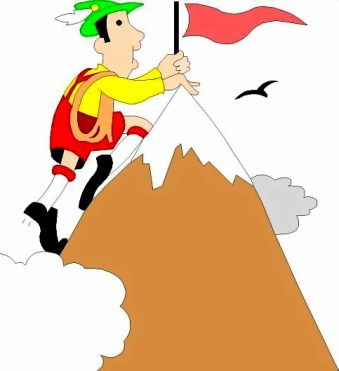
If there’s something that you want to do, try it.
Even if you think you can’t succeed, try it.
If a cause deserves a battle for it, try it.
Even if you know you’ll lose the battle, try it.
If you’d like to love another person, try it.
Even if they don’t deserve to be loved, try it.
For we never know our measure ’til we try.
Can’t uncover buried treasure ’til we try.
And we’re oft’ surprised with pleasure when we try.
So, for heaven’s sake, stop sitting there and wishing that you could.
Simply grab your gumption, man: give it a try!
~~~

photo courtesy of coyot @ pixabay.com
***

photo courtesy of MorganK @ pixabay.com
***
`

photo courtesy of Ludmila_ph @ pixabay.com
~~~

photo courtesy of Marcelokato @ pixabay.com
~~~

photo courtesy PaulaAPh @ pixabay.com
***

~~~
 I contacted WordPress about this problem several days ago, but have not heard any kind of reply, so I’m going to the people I can count on: my readers. I’m having a problem with how the WP Reader directs traffic to my blog — and to many other blogs as well.
When I go to the Reader and see a blurb from an article that I want to read and click on it, most of the time WP takes me to a plain white page with the entire article on it, but it does NOT take me to that person’s site. If I click on the little “visit” icon in the lower left corner of the blurb in the Reader, it still takes me to a white page, but it gives me an option in the upper right corner to click AGAIN and FINALLY get to that person’s actual blog.
That stinks, because I spend a lot of time putting things the way I want them on my blog so that people see specific things in specific formats, colors, positions, etc, but that plain white page distorts all of that. Most people are so busy that they won’t keep clicking two and three times to finally get to my site. They just read the article if they’re interested, but don’t see other things on my actual blog that I want them to see. (Things like headers, widgets, sticky notes, etc.) To me it’s a reasonable question to ask: Why work to have individualized, personalized blog sites if no one is ever going to go there because they can read full posts on a plain white page in the Reader?
But I’ve noticed that a few of the blogs showing in the Reader do not have that problem. The Reader takes the visitor instantly to the actual blog site. Does anyone know if there is a setting someplace that determines that situation? Is there a way to set my sites so that people can’t read an entire post in the Reader without coming to my actual site?
Thanks for any information or insight that you can give.

photo courtesy of Skitterphoto @ pixabay.com
~~~

photo courtesy of freephotos @ pixabay.com
***
 The Happy Wordcrafter